

Repair Torn and Ripped Photos with AI
A corner torn off, a rip running into the picture, a piece lost altogether — upload what is left and the tear is joined and the missing area rebuilt to match the rest of the photo.
Your first restoration is free.
1. Upload your photo
2. What's wrong with it? (optional — pick what you see)
3. How strong should the repair be?
Repairs damage and recovers some lost detail.
4. Extras
Quality
Fast, great for most photos
Output size
2K or 4K gives a larger, sharper file.
Sign in to restore your photo — your first one is free.
Only upload photos you own or have permission to restore. Restored photos are private to your account.
Example
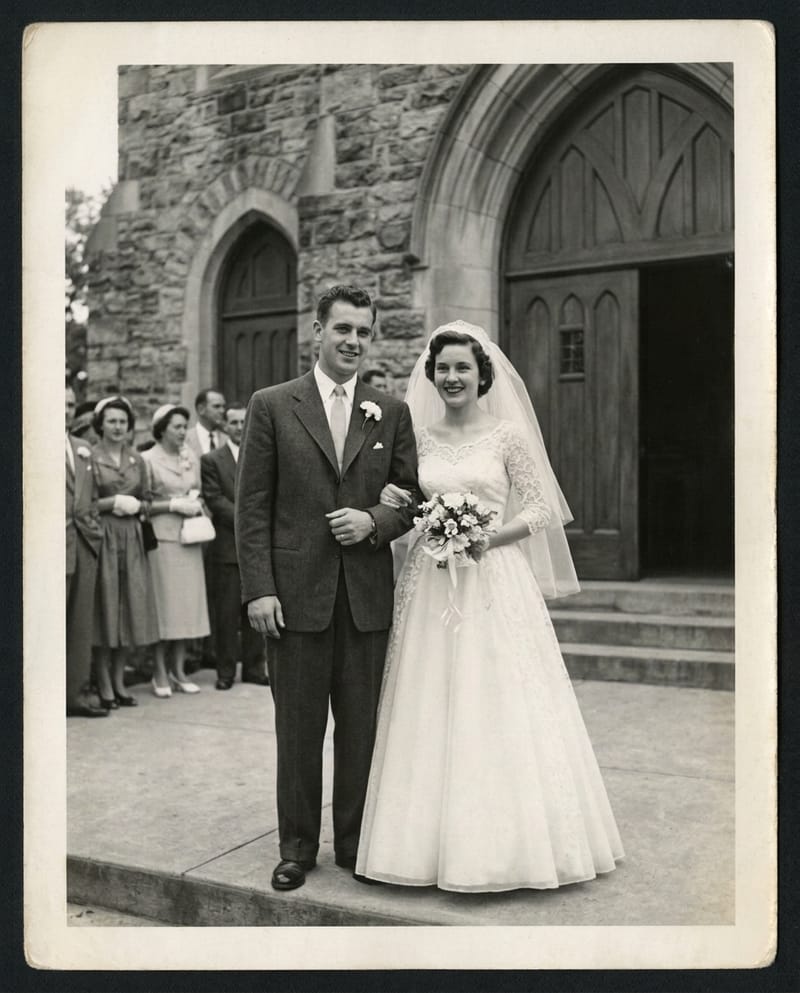
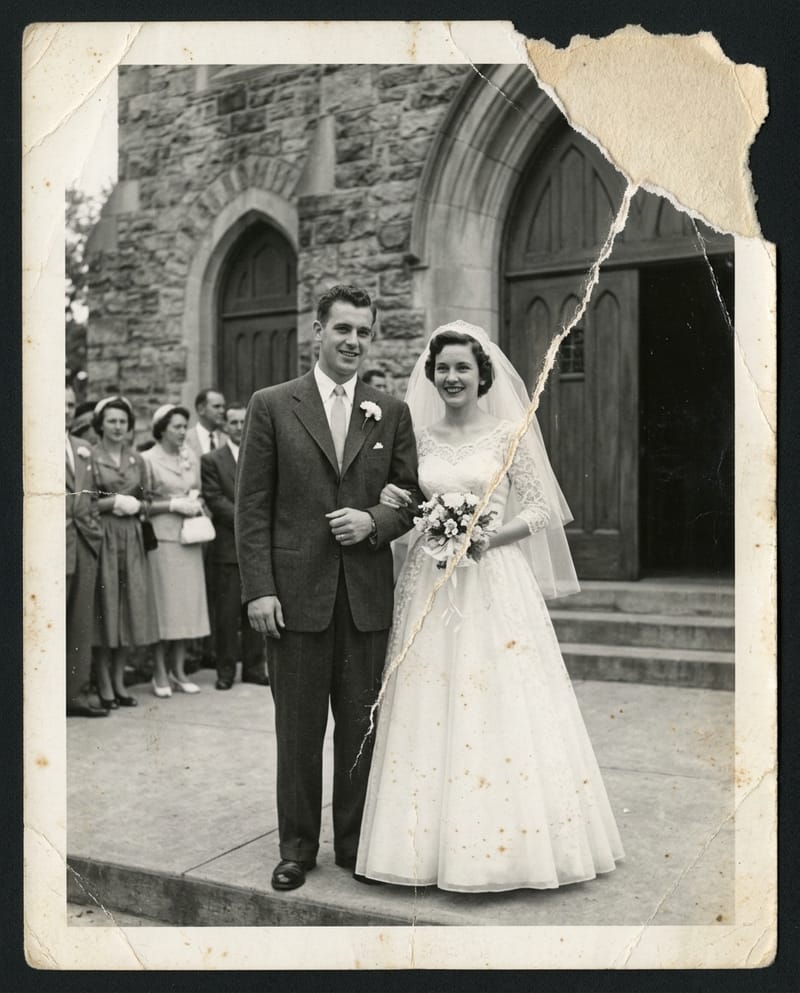 BeforeAfter
1950s wedding photo with a torn, missing corner. An AI-generated, fictional old photo restored with this tool. Drag the slider to compare.
Joining tears and filling gaps
Tears are repaired by continuing the lines, textures and tones on both sides of the rip, so a tear across a stone wall or a dark suit disappears. Missing corners and pieces are filled with content that matches what surrounds them — more sky, more wall, more background — rather than a flat patch.
Reconstruction, not recovery
When part of a photo is gone, nobody can recover what was really there. The AI makes a plausible reconstruction that fits the scene. That works beautifully for backgrounds, edges and clothing. If a tear went through a face, check the result carefully and keep your original scan alongside the restored copy.
Pieces still in the envelope?
If you still have the torn-off piece, lay it back in place on the scanner glass and scan the photo as one. The restore will then only need to close the tear line, which gives a far more faithful result than rebuilding a missing area.
Tips
- Scan torn pieces together, aligned as closely as you can.
- Use Balanced strength for tears; switch to Strong only for large missing areas.
- Pick "Scratches & creases" too — torn prints are usually creased as well.
Credits that never expire.
Pay once, use them whenever you like · 3 free credits to start · Plan credits roll over
Frequently asked questions
Can it rebuild a missing corner?
Yes. Missing corners and edges are filled with content that matches the rest of the picture. The bigger the missing area, the more of it is invented, so compare with the slider.
What if the tear goes through someone's face?
The restore joins the tear and keeps the person's features, but a face that has lost detail is harder to rebuild faithfully. Try Gentle first, and use the refine box for small corrections.
Should I tape the photo back together first?
No — tape reflects light and yellows over time. Lay the pieces together on the scanner glass instead.
How much does it cost?
Your first restoration is free (Standard, up to 2K). After that it costs 1–4 credits depending on quality and size.
Do my credits expire?
Credits from packs never expire, so you can buy once and come back whenever you like. Monthly plan credits renew each month, and any you don't use roll over to the next month, up to one month's worth. New accounts get 3 free credits to start.