

Remove Scratches and Creases from Old Photos
Fold lines across a face, white scratches from years in a shoebox, cracked emulsion and dust from the scanner — upload the photo and they are cleaned away while everything else stays exactly as it was.
Your first restoration is free.
1. Upload your photo
2. What's wrong with it? (optional — pick what you see)
3. How strong should the repair be?
Cleans up damage and keeps everything else as it is. Safest for faces.
4. Extras
Quality
Fast, great for most photos
Output size
2K or 4K gives a larger, sharper file.
Sign in to restore your photo — your first one is free.
Only upload photos you own or have permission to restore. Restored photos are private to your account.
Example
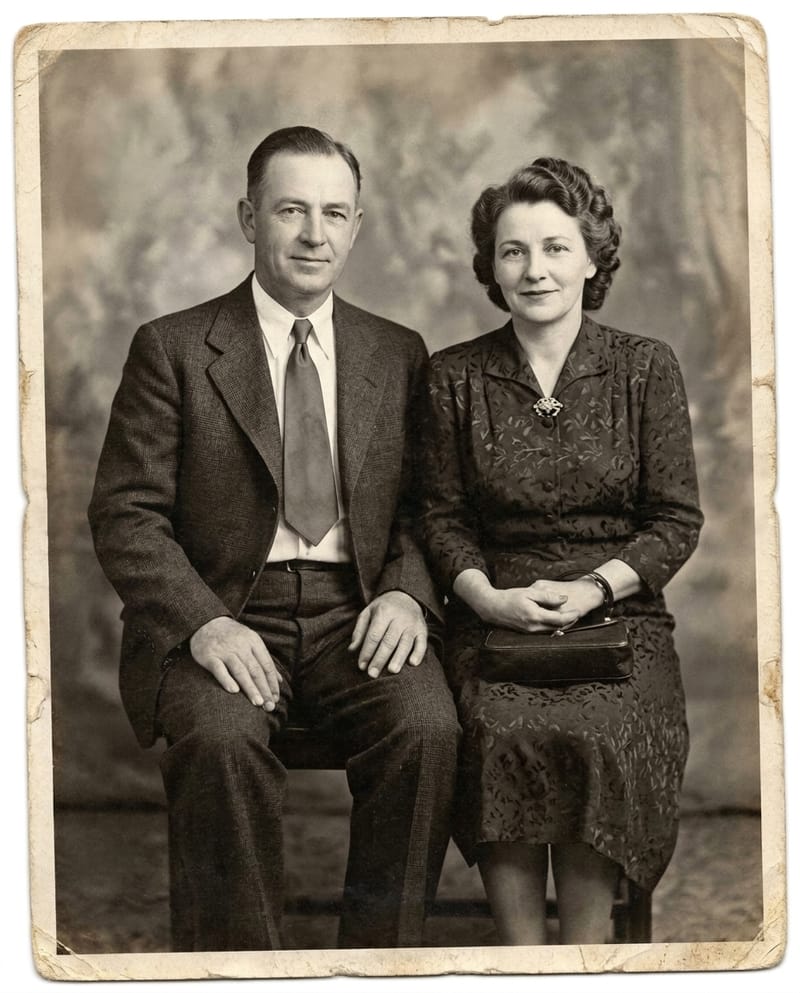
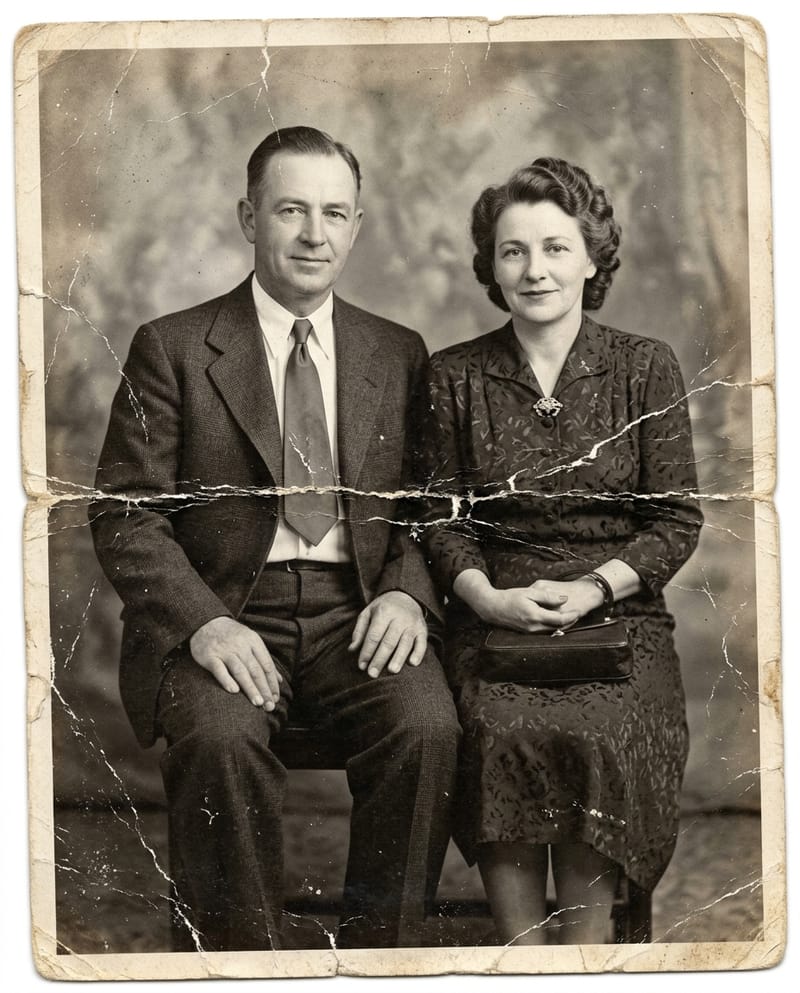 BeforeAfter
1940s couple portrait with scratches and fold creases. An AI-generated, fictional old photo restored with this tool. Drag the slider to compare.
What it fixes
Thin hairline scratches, deep white scratches, fold creases that run across the whole print, cracked or flaking emulsion, and the dust and specks that every flatbed scanner picks up. Where a scratch cuts through detail — a collar, an eyebrow, a pattern — the surrounding detail is continued across the gap so the repair is invisible.
Why not just use a dust filter?
Dust and scratch filters in photo editors blur small areas to hide marks, which also softens real detail. AI restoration rebuilds the area under the scratch from what is around it, so fabric, hair and skin texture survive. It also tells a scratch apart from a real line in the picture, such as a pinstripe or a window frame.
Choose how much to change
Gentle strength only removes the damage and leaves the rest untouched — the safest choice for portraits. Balanced also recovers a little detail and contrast. Strong is for prints that are heavily damaged; it reconstructs more, so check faces closely with the before/after slider.
Tips
- Clean the print gently with a soft brush before scanning — less dust means less for the AI to guess.
- Scan at 600 dpi or higher so thin scratches are clearly visible.
- If one mark survives, use the refine box: "remove the scratch across the left shoulder".
Credits that never expire.
Pay once, use them whenever you like · 3 free credits to start · Plan credits roll over
Frequently asked questions
Will removing scratches change the faces?
The restore is told to keep every face, expression and likeness exactly as they are, and Gentle strength changes the least. Always compare with the slider; if something looks different, try again on Gentle or refine that area.
Can it fix a crease right through the middle of the photo?
Yes. Fold creases are one of the most common repairs. The detail on either side of the fold is joined back together.
Do I need to mark where the scratches are?
No. The AI finds them on its own. Picking "Scratches & creases" just tells it to focus on that kind of damage.
What file do I get back?
A PNG at the size you choose (1K, 2K or 4K), ready to print or share. Your original upload is never changed.
Do my credits expire?
Credits from packs never expire, so you can buy once and come back whenever you like. Monthly plan credits renew each month, and any you don't use roll over to the next month, up to one month's worth. New accounts get 3 free credits to start.