

Colorize Black and White Photos with AI
Upload a black and white or sepia photo and get it back in natural colour — skin tones, clothing, sky and setting coloured the way they would have looked at the time. Scratches and fading are repaired in the same pass.
Your first restoration is free.
1. Upload your photo
2. What's wrong with it? (optional — pick what you see)
3. How strong should the repair be?
Cleans up damage and keeps everything else as it is. Safest for faces.
4. Extras
Quality
Fast, great for most photos
Output size
2K or 4K gives a larger, sharper file.
Sign in to restore your photo — your first one is free.
Only upload photos you own or have permission to restore. Restored photos are private to your account.
Example
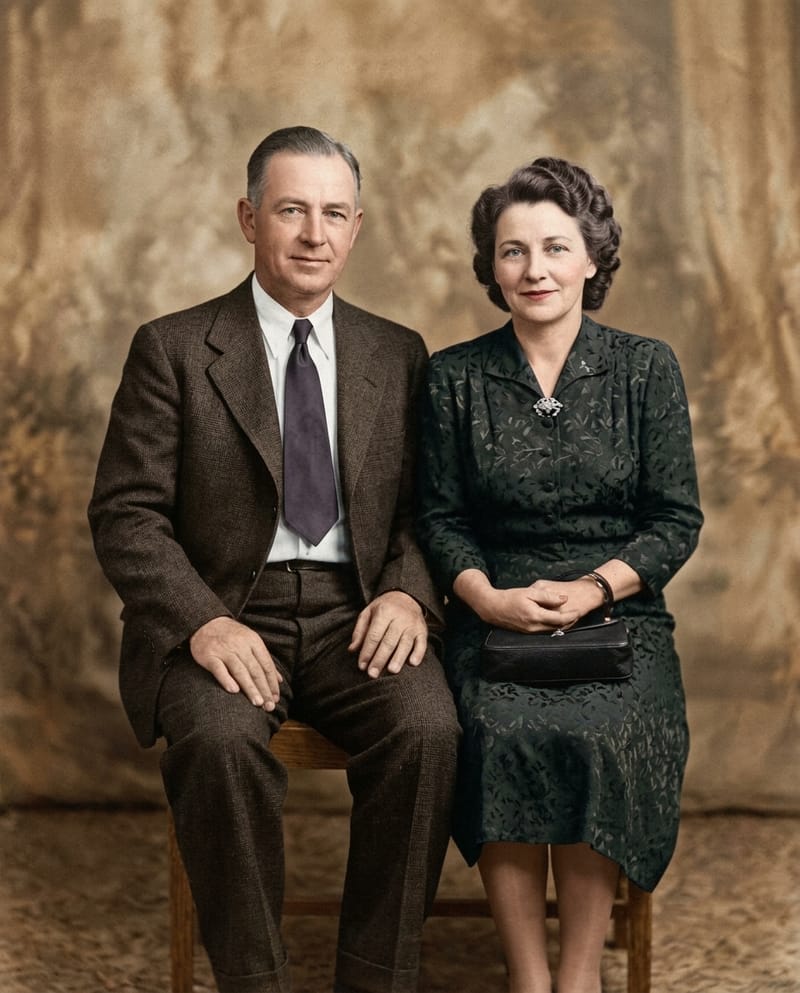
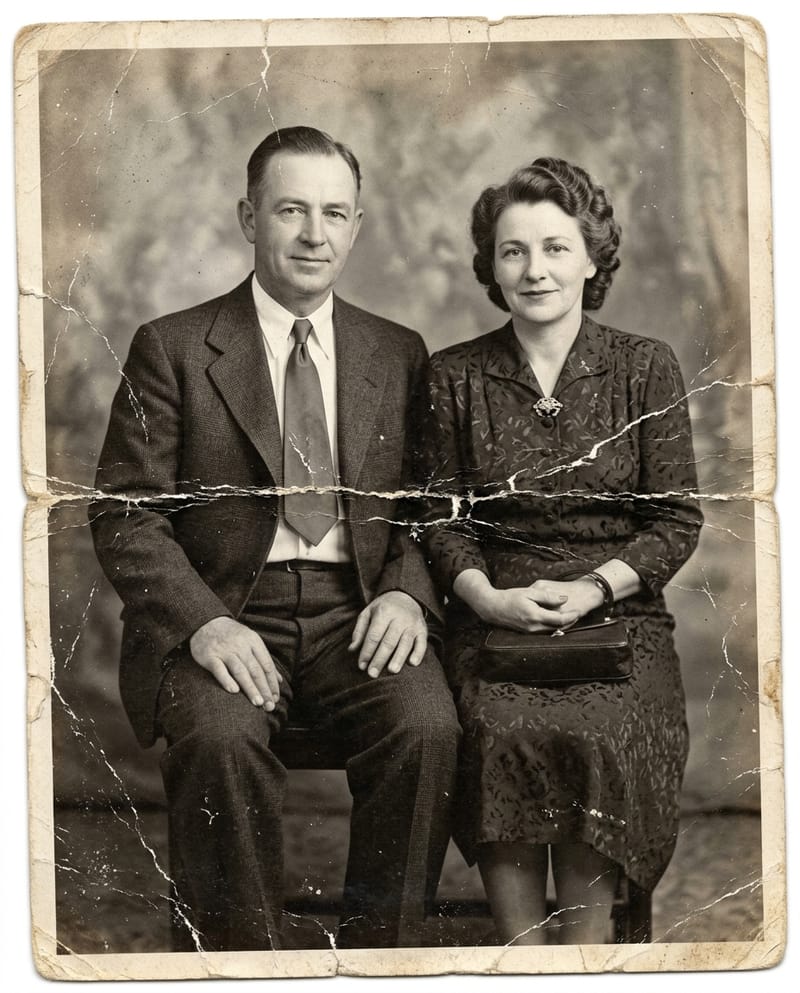 BeforeAfter
1940s black and white couple portrait, restored and colorized. An AI-generated, fictional old photo restored with this tool. Drag the slider to compare.
Natural colour, not a tint
Simple colorizers wash a photo in one or two tones. imager.ink looks at what is in the picture — faces, hair, fabric, foliage, brick, sky — and gives each its own believable colour, with soft transitions and lighting that matches the original exposure. Colours are chosen to suit the era of the photo, so a 1940s suit and a 1970s shirt come out looking like they belong to their decade.
Repair and colorize in one step
Old black and white prints rarely arrive in perfect condition. Pick the damage you can see — scratches, creases, stains, fading — and the restore removes it while it adds colour. Because the colour is built on top of a cleaned-up image, you do not end up with coloured scratches or tinted dust spots.
Keep the people looking like themselves
The colorizer is instructed to leave every face, expression and feature exactly as it is. Start with Gentle strength for the most faithful result, then use the before/after slider to compare. If one detail is off — say, the colour of a dress you remember — type a quick fix such as "make her dress dark green" and a new version is made.
Tips
- Scan the original rather than photographing it at an angle — even lighting gives the cleanest colour.
- If you know a colour (a uniform, a car, a dress), fix it afterwards with a one-line refine.
- Sepia prints colorize just as well as true black and white ones.
Credits that never expire.
Pay once, use them whenever you like · 3 free credits to start · Plan credits roll over
Frequently asked questions
How does AI know what colours to use?
It recognises what each part of the photo shows and picks colours that are realistic for that object and era. The colours are a well-informed reconstruction, not a record of the real colours, so use a refine instruction if you know a specific colour.
Can I keep the photo black and white and only repair it?
Yes. Leave Colorize switched off and a black and white or sepia photo stays black and white or sepia — only the damage is repaired.
Does colorizing work on group photos?
Yes. Each person, their clothing and the background are coloured separately. For large groups, choose 2K or 4K output so small faces keep their detail.
How much does it cost?
Your first restoration is free (Standard quality, up to 2K). After that a colorized restoration costs the same as any image: 1 credit at Standard 1K, up to 4 credits at Best 4K.
Do my credits expire?
Credits from packs never expire, so you can buy once and come back whenever you like. Monthly plan credits renew each month, and any you don't use roll over to the next month, up to one month's worth. New accounts get 3 free credits to start.