

Restore Faded and Discoloured Photos
Colour prints from the 1960s to the 1990s fade to orange, magenta or yellow, and lose their contrast. Upload one and get back the colours and depth it had the day it was printed.
Your first restoration is free.
1. Upload your photo
2. What's wrong with it? (optional — pick what you see)
3. How strong should the repair be?
Cleans up damage and keeps everything else as it is. Safest for faces.
4. Extras
Quality
Fast, great for most photos
Output size
2K or 4K gives a larger, sharper file.
Sign in to restore your photo — your first one is free.
Only upload photos you own or have permission to restore. Restored photos are private to your account.
Example
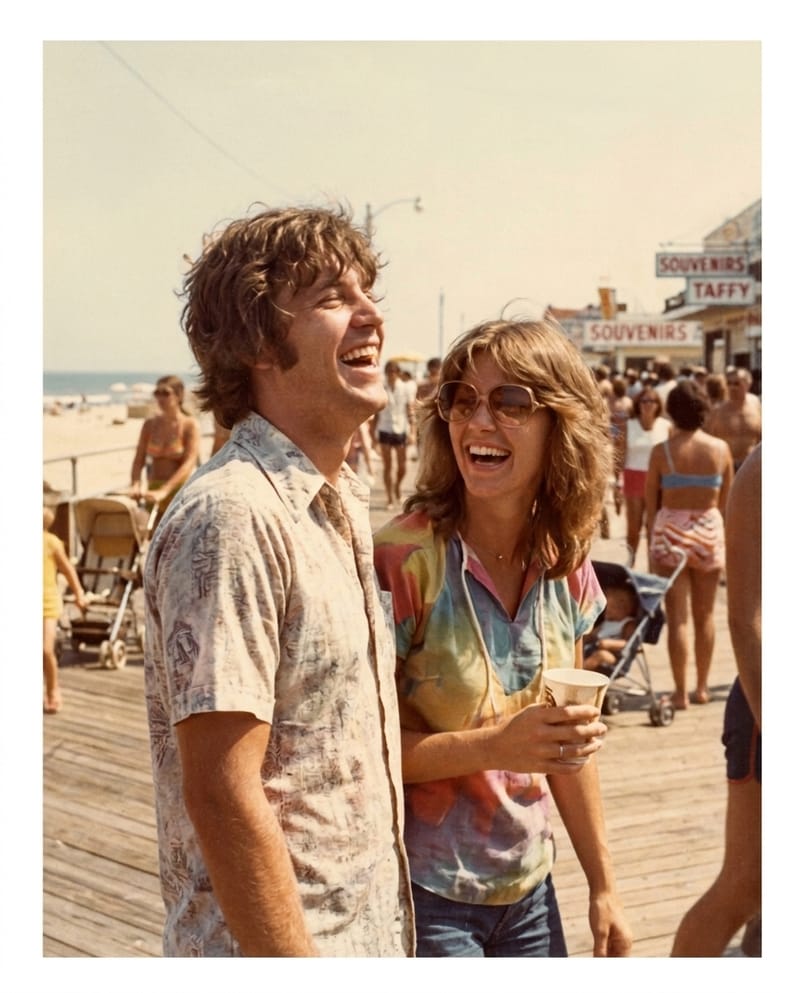
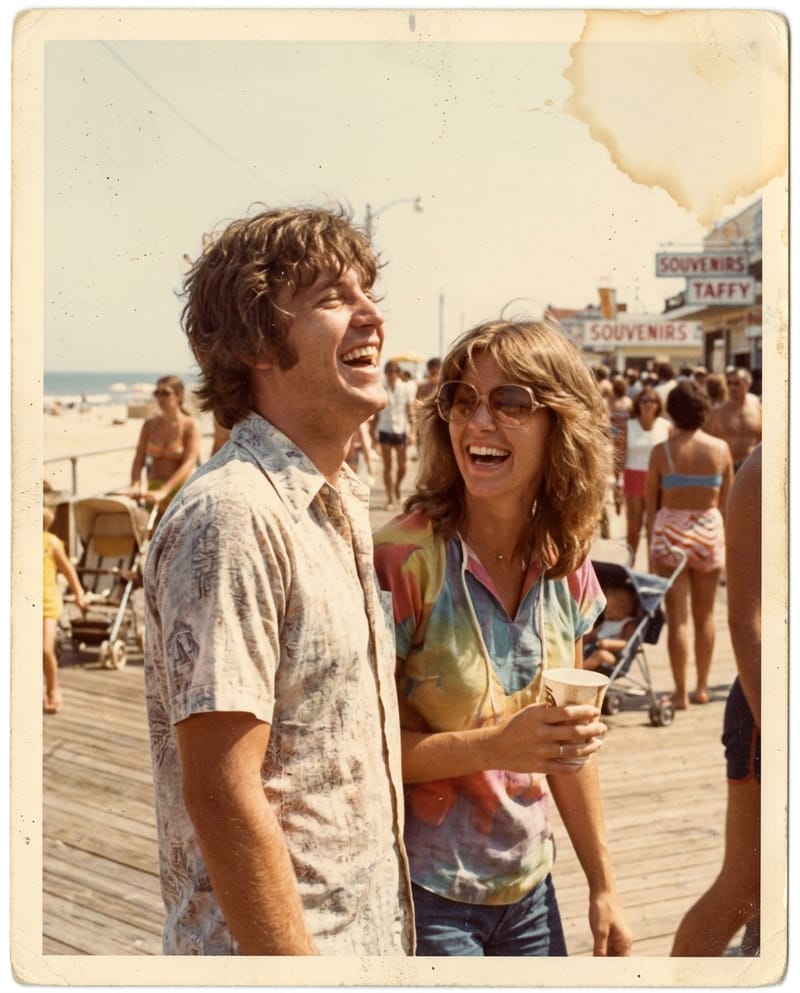 BeforeAfter
Faded 1970s colour snapshot with a yellow cast and a stain. An AI-generated, fictional old photo restored with this tool. Drag the slider to compare.
Why colour photos fade
Colour prints are made of three dye layers that break down at different speeds. Usually the cyan layer goes first, which is why so many family photos from the 70s and 80s have turned orange or red. Light, heat and humidity speed it up. The result is a colour cast over everything, flat contrast and washed-out shadows.
Balanced colour, recovered contrast
The restore removes the cast so whites look white again, rebuilds the missing contrast so shadows and highlights have depth, and corrects skin tones that have drifted pink or orange. Stains, coffee rings and the yellowing around the edges of old prints are cleaned up in the same pass.
Black and white prints fade too
Black and white and sepia photos fade to a pale, low-contrast brown. With Colorize switched off, the restore keeps the original tones and brings back the rich blacks and clean highlights — or switch Colorize on to turn it into a colour photo.
Tips
- Turn off any automatic colour correction in your scanner software — give the AI the photo as it is.
- Add "Stains & spots" if the print has marks as well as fading.
- Faded photos from the same album can be restored one after another with the same settings for a consistent look.
Credits that never expire.
Pay once, use them whenever you like · 3 free credits to start · Plan credits roll over
Frequently asked questions
Can it fix a photo that has turned completely orange?
Yes. Strong colour casts from dye fading are one of the most common fixes. The cast is removed and natural colours rebuilt.
Will it change the colours of things in the photo?
It aims for the colours the photo had when new. If a specific item comes out wrong, fix it with a one-line refine.
Does it work on Polaroids?
Yes. Polaroid and other instant prints fade and shift colour in the same way and restore well.
Can I restore a whole album?
Restore photos one at a time; your settings stay selected, so working through an album is quick. Each restoration costs 1–4 credits after your free first one.
Do my credits expire?
Credits from packs never expire, so you can buy once and come back whenever you like. Monthly plan credits renew each month, and any you don't use roll over to the next month, up to one month's worth. New accounts get 3 free credits to start.