

Restore Old Family Photos Online
Shoeboxes, albums and frames full of grandparents, great-grandparents and family gatherings — scratched, faded and creased. Restore them one by one, keep the originals, and share clean copies with the whole family.
Your first restoration is free.
1. Upload your photo
2. What's wrong with it? (optional — pick what you see)
3. How strong should the repair be?
Cleans up damage and keeps everything else as it is. Safest for faces.
4. Extras
Quality
Fast, great for most photos
Output size
2K or 4K gives a larger, sharper file.
Sign in to restore your photo — your first one is free.
Only upload photos you own or have permission to restore. Restored photos are private to your account.
Example
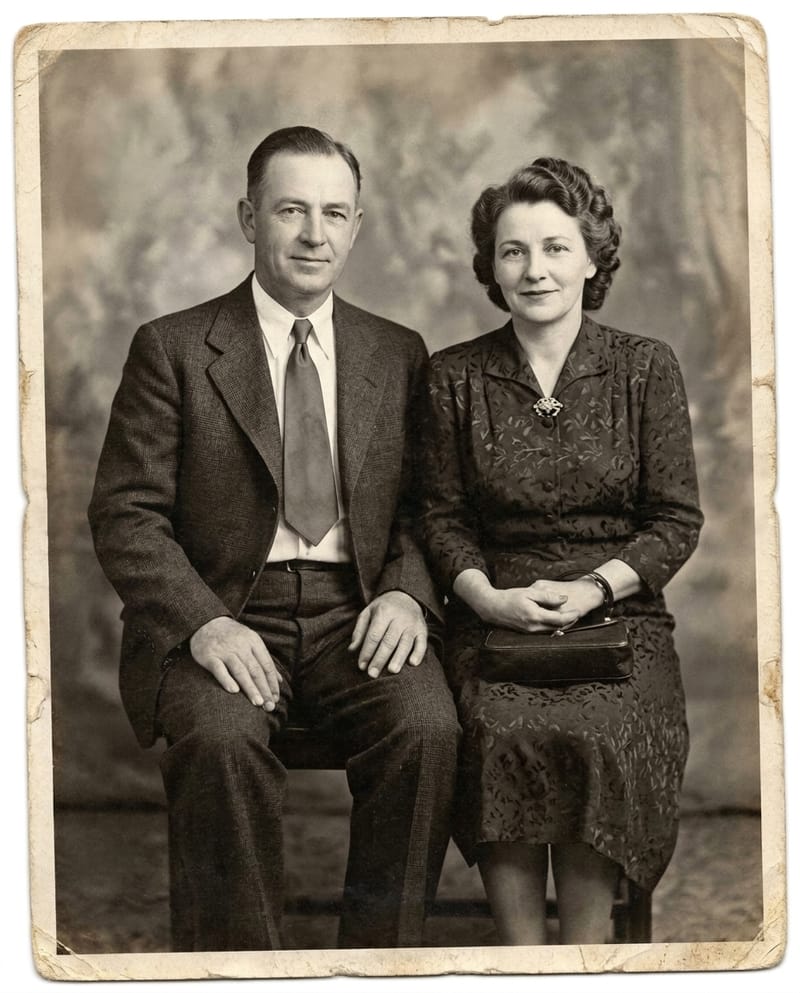
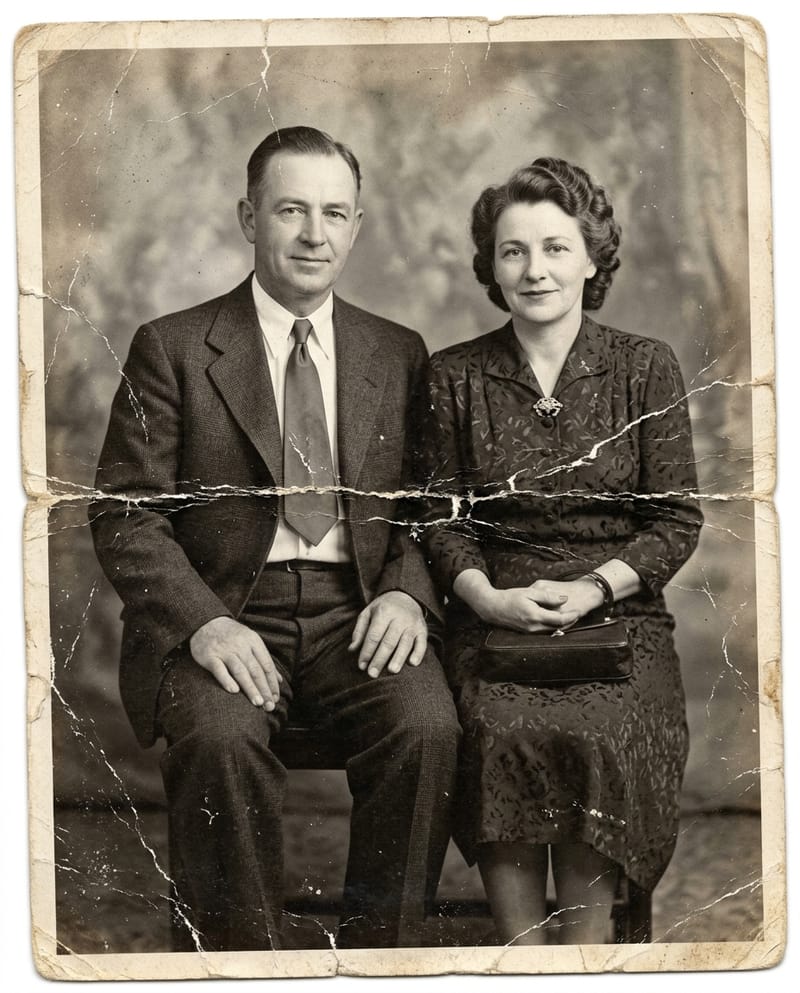 BeforeAfter
1940s couple portrait with scratches and fold creases. An AI-generated, fictional old photo restored with this tool. Drag the slider to compare.
One tool for every kind of damage
Family photos come in every condition. Pick what you can see — scratches and creases, fading, blur, torn corners, stains — or pick nothing for an all-round repair. Gentle strength keeps everyone looking exactly like themselves, which matters most when the photo is the only one you have of someone.
For family history and genealogy
Restored photos make family trees, memorial boards, reunion slideshows and printed albums come alive. Keep your scans and the restored copies side by side, and note names and dates on the back of the originals while someone still remembers them.
Bring them to life
After a restore you can optionally turn the photo into a short video with gentle, natural movement. It is entirely optional, costs credits, and nothing is created until you press Generate on the video page.
Tips
- Digitise the oldest and most fragile photos first.
- Scan at 600 dpi (1200 dpi for small prints) and keep the raw scans.
- Start with Gentle strength — it changes the least.
- Only upload photos you own or have permission to restore.
Credits that never expire.
Pay once, use them whenever you like · 3 free credits to start · Plan credits roll over
Frequently asked questions
What kinds of damage can it fix?
Scratches, fold creases, fading and colour casts, stains and water marks, blur, and small torn or missing areas. Large missing areas are rebuilt as a reconstruction.
Will my relatives still look like themselves?
The restore is told to keep every face, age and expression unchanged, and Gentle strength changes the least. Always compare with the before/after slider.
Can I colorize old family photos?
Yes. Switch on Colorize to add natural, period-appropriate colour, or leave it off to keep black and white photos in their original tones.
How much does it cost?
Your first restoration is free (Standard, up to 2K). After that each one costs 1–4 credits; credit packs start at $5 for 25 credits and never expire.
Do my credits expire?
Credits from packs never expire, so you can buy once and come back whenever you like. Monthly plan credits renew each month, and any you don't use roll over to the next month, up to one month's worth. New accounts get 3 free credits to start.