
Create a Professional Photo ID Portrait with AI
Generate a professional passport or ID-style photo with formal attire, white background, and studio lighting from any selfie. AI-powered ID photo generator.
Upload your image
Customise (optional)
Sign in to generate images
Credits start at $3 for 10 images
Before & After
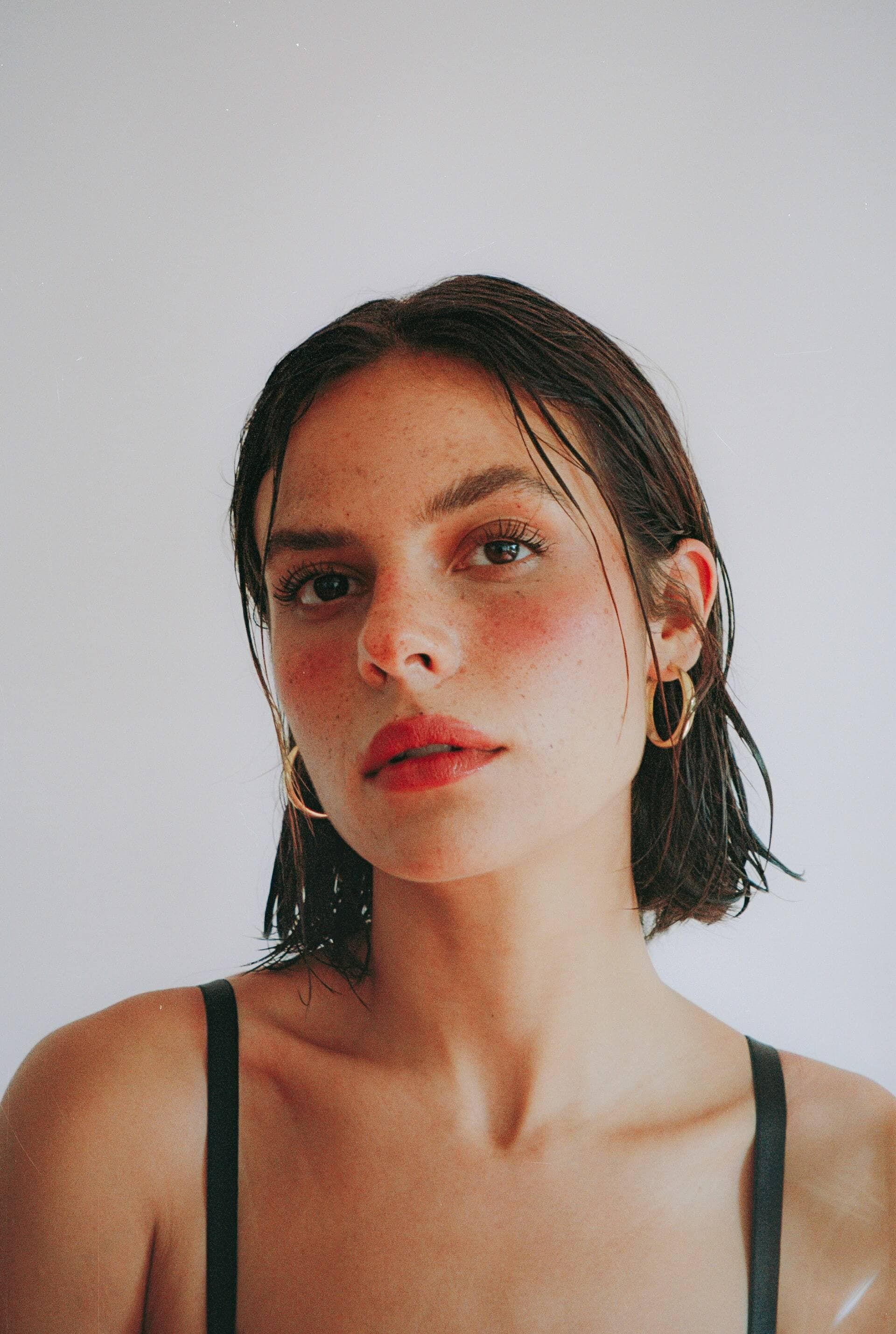
Before
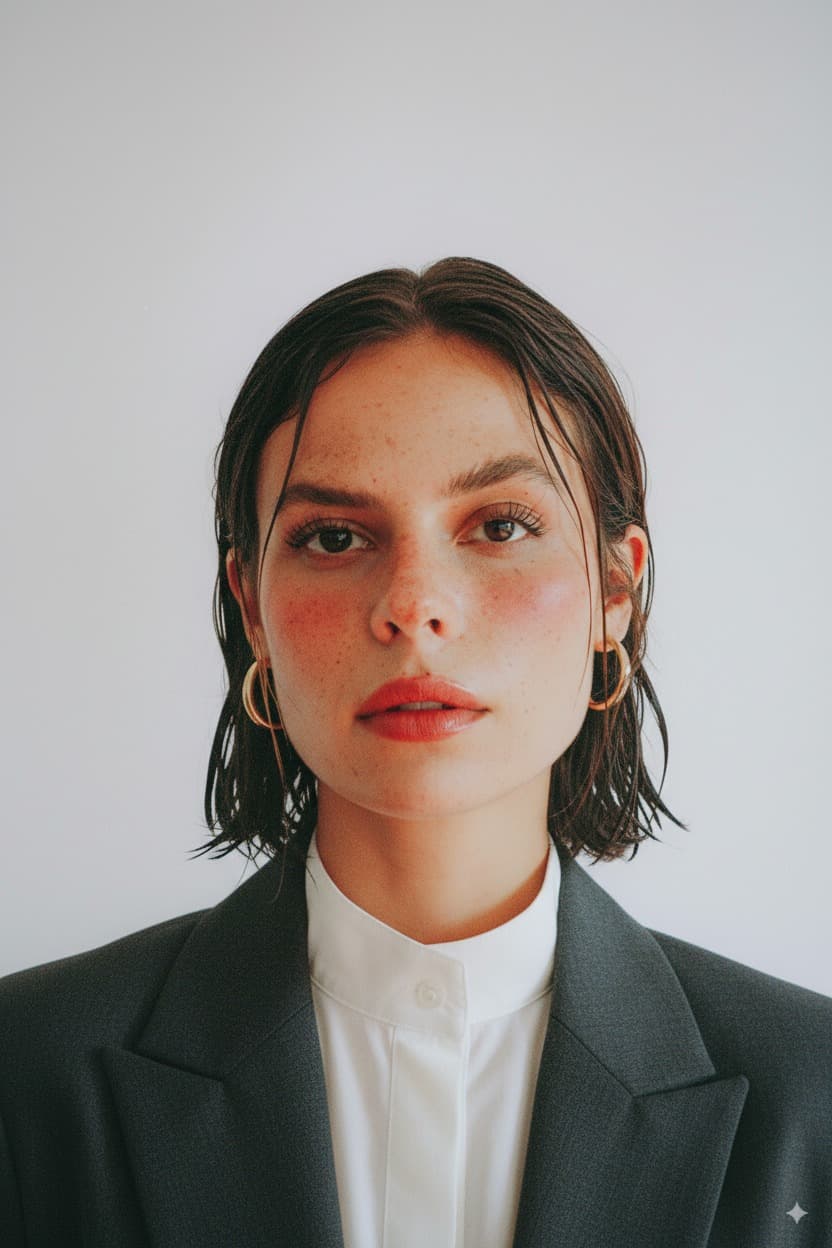
After
How to Use the Photo ID Filter
Upload Photo
Upload any photo from your device
Select Photo ID
Choose this style from the selector
Generate
Click generate and wait a few seconds
Download
Download your transformed image
About the Photo ID Style
The standardized identification photograph has a history stretching back to the mid-19th century, closely intertwined with the development of photography itself. The first known use of photographs for identification purposes occurred in the 1850s, when the French government began attaching photographs to official documents. Passport photos became widely required in the early 20th century, particularly after World War I, when international travel controls were significantly tightened. The International Civil Aviation Organization (ICAO) established global standards for passport photographs that most countries now follow: a specific size ratio, neutral expression, forward-facing pose, even lighting, and a plain light-colored background. These requirements are designed to optimize facial recognition both by human officials and increasingly by automated biometric systems. The white or light gray background eliminates visual noise, while even lighting ensures facial features are clearly visible without harsh shadows. The formal attire convention, while not always legally required, emerged as a cultural norm because identification photos often serve as professional representations. Modern passport and ID photo requirements have become more stringent with the adoption of biometric passports and facial recognition technology, demanding specific head-to-frame ratios, precise eye positions, and minimal expression. Despite these technical constraints, the ID photo has become a distinct photographic genre, with studios worldwide specializing in producing compliant yet flattering identification portraits that balance official requirements with personal presentation.
Tips for Best Results
- ✓Front-facing photos with a neutral expression produce the most authentic ID-style results.
- ✓Good lighting on your face without harsh shadows is essential for a convincing ID photo.
- ✓Photos where your head and shoulders are clearly visible work best.
- ✓Remove hats, sunglasses, and heavy accessories before taking the source photo for the most professional result.
Best Photo Types
Use Cases
- •Generating a professional-looking ID photo from a casual selfie
- •Creating formal headshots for applications and official documents
- •Producing business-appropriate portraits for LinkedIn or company profiles
- •Making consistent formal photos for forms and applications
Credits start at $3 for 10 images or 1 video
Frequently Asked Questions
Can I use the AI-generated photo for an actual passport or ID?
The AI-generated photo is not intended for official documents. Real passport and ID photos have strict requirements for dimensions, resolution, and must be unaltered photographs. This tool is great for preview purposes, professional profiles, and non-official uses.
Will the AI add formal clothing to my photo?
Yes. The AI dresses male subjects in formal attire like a suit jacket, dress shirt, and tie, and female subjects in professional attire such as a blouse, blazer, or business dress. Your original clothing is replaced with appropriate formal wear.
What happens to the background?
The background is replaced with a plain, solid white background with even studio lighting, matching the standard format for ID and passport photographs. Any original background is completely removed.
Does the photo need to be taken from a specific angle?
Front-facing photos work best since ID photos require the subject to look straight at the camera. The AI will adjust slightly off-angle photos, but starting with a direct front-facing shot produces the most natural and professional result.
Will my hairstyle be changed?
No, your hairstyle is preserved as closely as possible to the original photo. Only the clothing and background are transformed to create the professional ID photo look.
Related Styles
Ready to transform your photos?
Credits start at $3 for 10 images or 1 video