
Add Business Attire to Your Photo with AI
Transform your casual photo into a professional business portrait by adding tailored suits and formal attire. AI changes only clothing while preserving everything else.
Upload your image
Customise (optional)
Sign in to generate images
Credits start at $3 for 10 images
Before & After
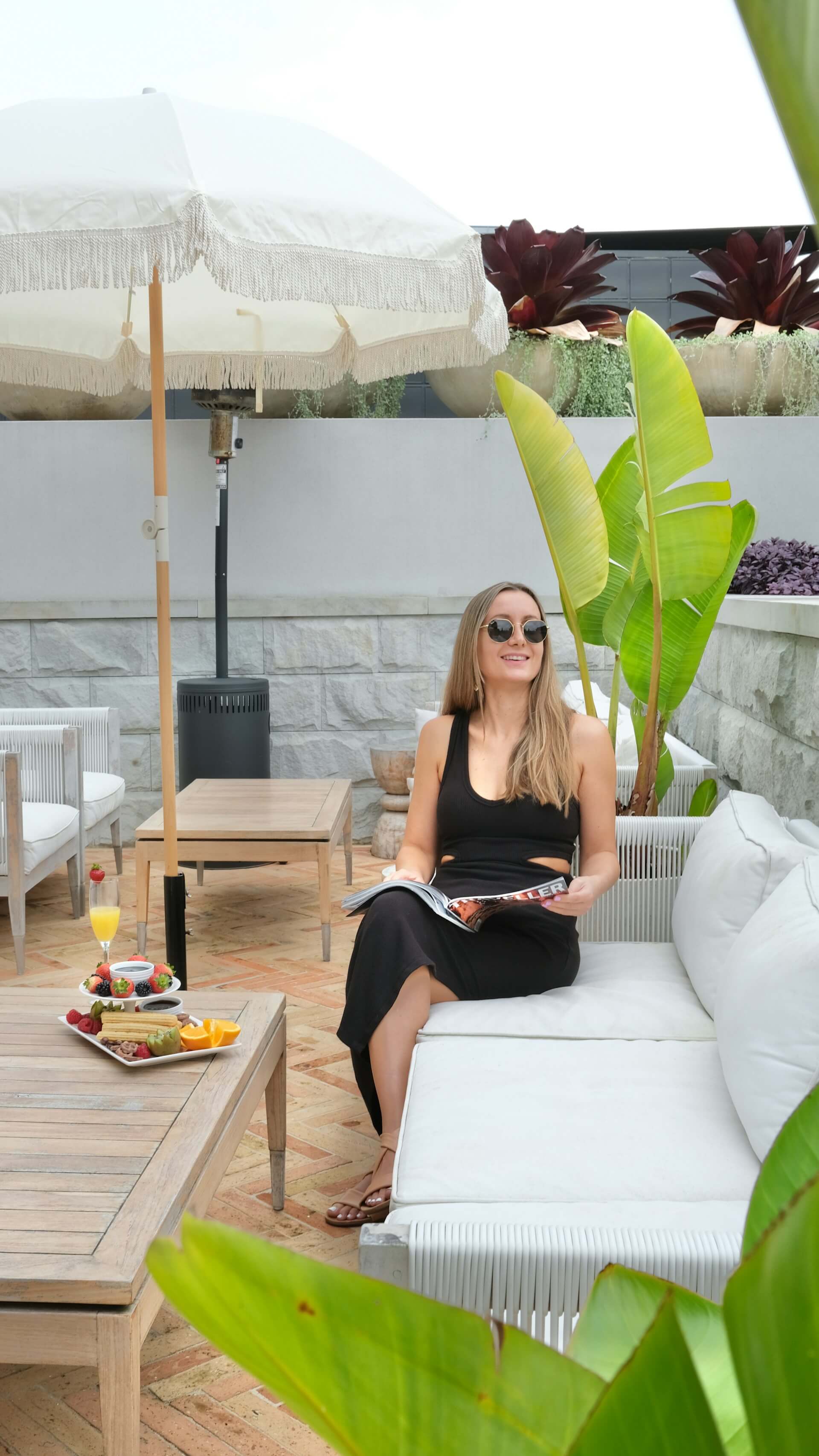
Before
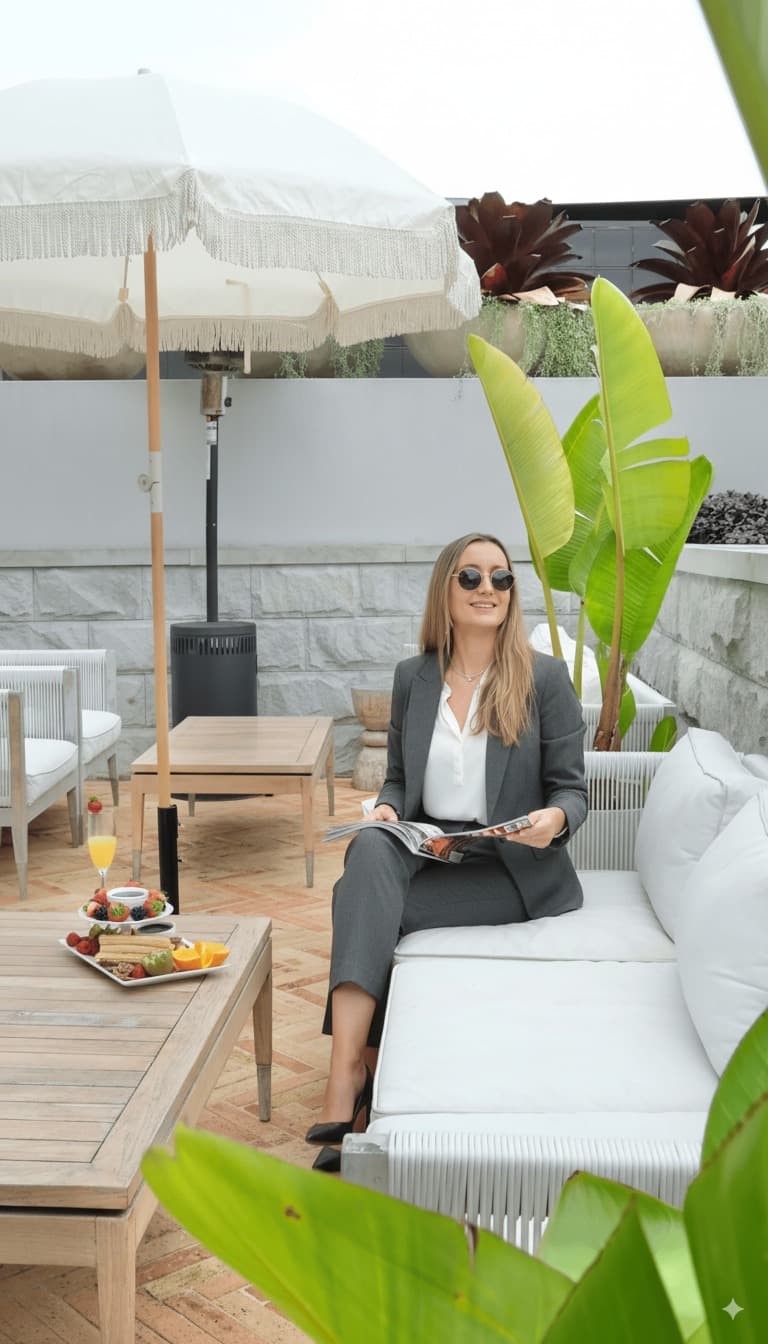
After
How to Use the Business Attire Filter
Upload Photo
Upload any photo from your device
Select Business Attire
Choose this style from the selector
Generate
Click generate and wait a few seconds
Download
Download your transformed image
About the Business Attire Style
The concept of formal business attire has evolved significantly over the centuries, shaped by cultural norms, industrial needs, and shifting social expectations. The modern business suit traces its origins to the court of King Charles II of England, who in 1666 declared a new standard of dress that would evolve into the three-piece suit. By the Victorian era, the lounge suit had emerged as the standard for professional men, gradually replacing the frock coat and top hat of earlier decades. Women's professional clothing followed a different trajectory, with significant shifts occurring as women entered the workforce in greater numbers during the World Wars. The 1920s saw the first widespread adoption of professional women's wear, and designers like Coco Chanel played pivotal roles in creating practical yet elegant workwear. The power suit of the 1980s, popularized by designers like Giorgio Armani and worn prominently by women breaking into corporate leadership, became a symbol of professional ambition and authority. Today, business attire encompasses a spectrum from formal (traditional suits with ties) to business casual (blazers with smart separates). The tailored suit remains the gold standard for formal professional settings, with its structured shoulders, clean lines, and quality fabrics conveying competence, attention to detail, and respect for professional contexts. Virtual outfit transformation represents a modern application of this tradition, allowing people to visualize themselves in professional attire without the expense of a full wardrobe or the logistics of a professional photoshoot.
Tips for Best Results
- ✓Photos with the full upper body visible give the AI the best canvas for adding a complete suit or business outfit.
- ✓Standing or seated poses in a natural position produce the most convincing clothing transformations.
- ✓Good lighting on the body and clothing area is important for a realistic-looking suit or outfit.
- ✓Photos where current clothing has clear boundaries make it easier for the AI to replace with formal attire.
Best Photo Types
Use Cases
- •Quickly creating a professional headshot from a casual photo
- •Previewing how you would look in formal business attire before buying
- •Preparing polished photos for LinkedIn or job applications
- •Making a casual photo presentation-ready for corporate materials
Credits start at $3 for 10 images or 1 video
Frequently Asked Questions
Will only the clothing change, or will other things be altered too?
Only the clothing changes. The AI specifically preserves your face, hair, expression, pose, and background exactly as they appear in the original photo. It replaces only the visible clothing with formal business attire while maintaining natural lighting and perspective.
What type of business attire will be added?
For men, the AI typically adds a tailored suit jacket, dress shirt, and tie with matching shoes. For women, it adds professional options like a blouse, blazer, or business dress. The specific choice depends on the pose and composition of your original photo.
Does the new clothing match the lighting in my photo?
Yes. The AI analyzes the existing lighting direction, intensity, and color temperature in your photo and ensures the formal attire matches naturally, including appropriate shadows, highlights, and fabric reflections.
Can this work with a full body photo including shoes?
Yes, the transformation includes matching shoes. Full body photos allow the AI to create a complete formal outfit from head to toe, including appropriate footwear that matches the suit or business attire.
How is this different from the Photo ID style?
The Business Attire style changes only your clothing while keeping your original background and setting. The Photo ID style transforms the entire image into an ID-format photo with a white background, formal clothing, and centered framing suitable for identification documents.
Related Styles
Ready to transform your photos?
Credits start at $3 for 10 images or 1 video