
Turn Your Photo into a Family Cartoon Character with AI
Transform your photo into a yellow-skinned family cartoon character with bold outlines and flat colors. AI-powered Simpsons-style cartoon filter in seconds.
Upload your image
Customise (optional)
Sign in to generate images
Credits start at $3 for 10 images
Before & After
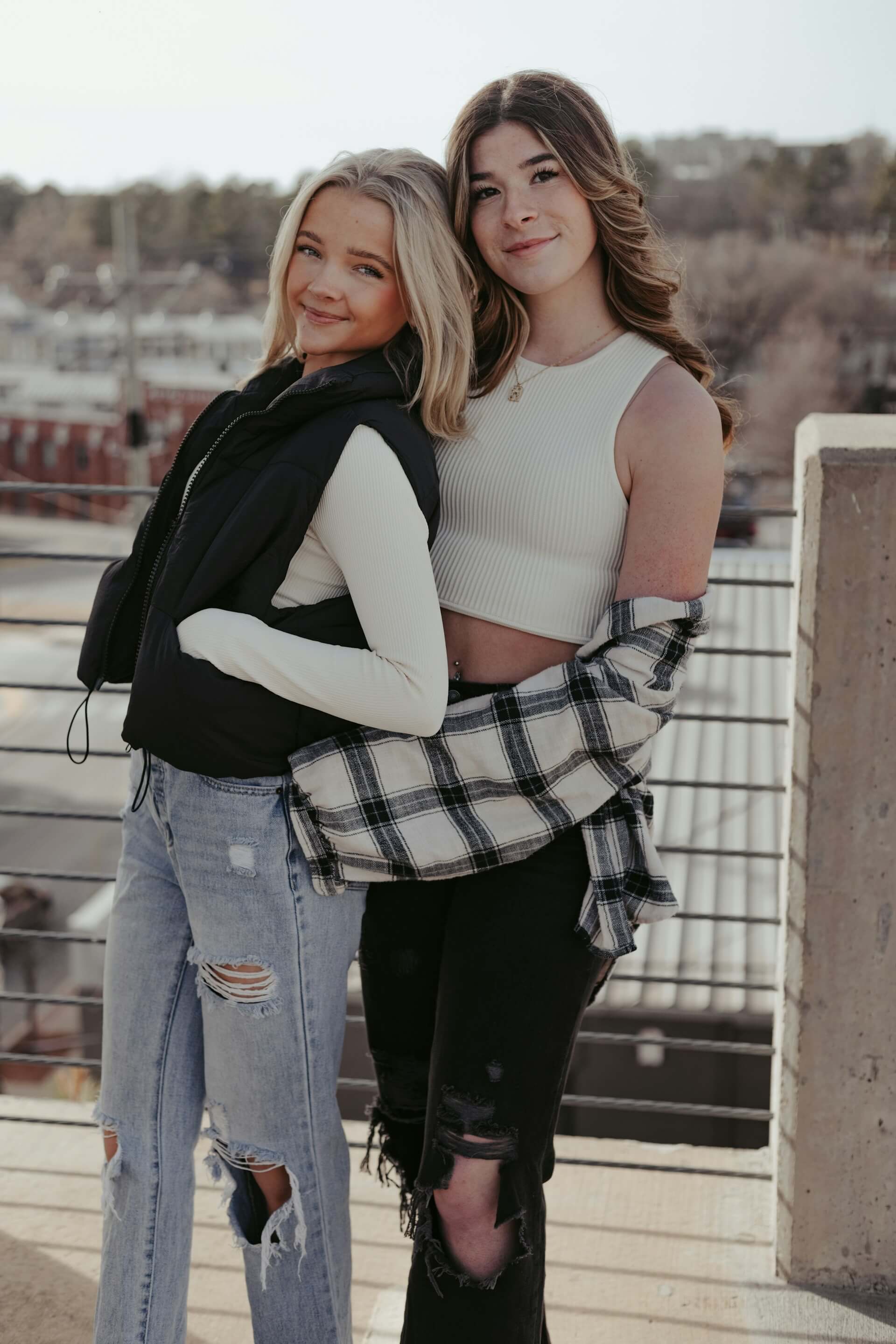
Before
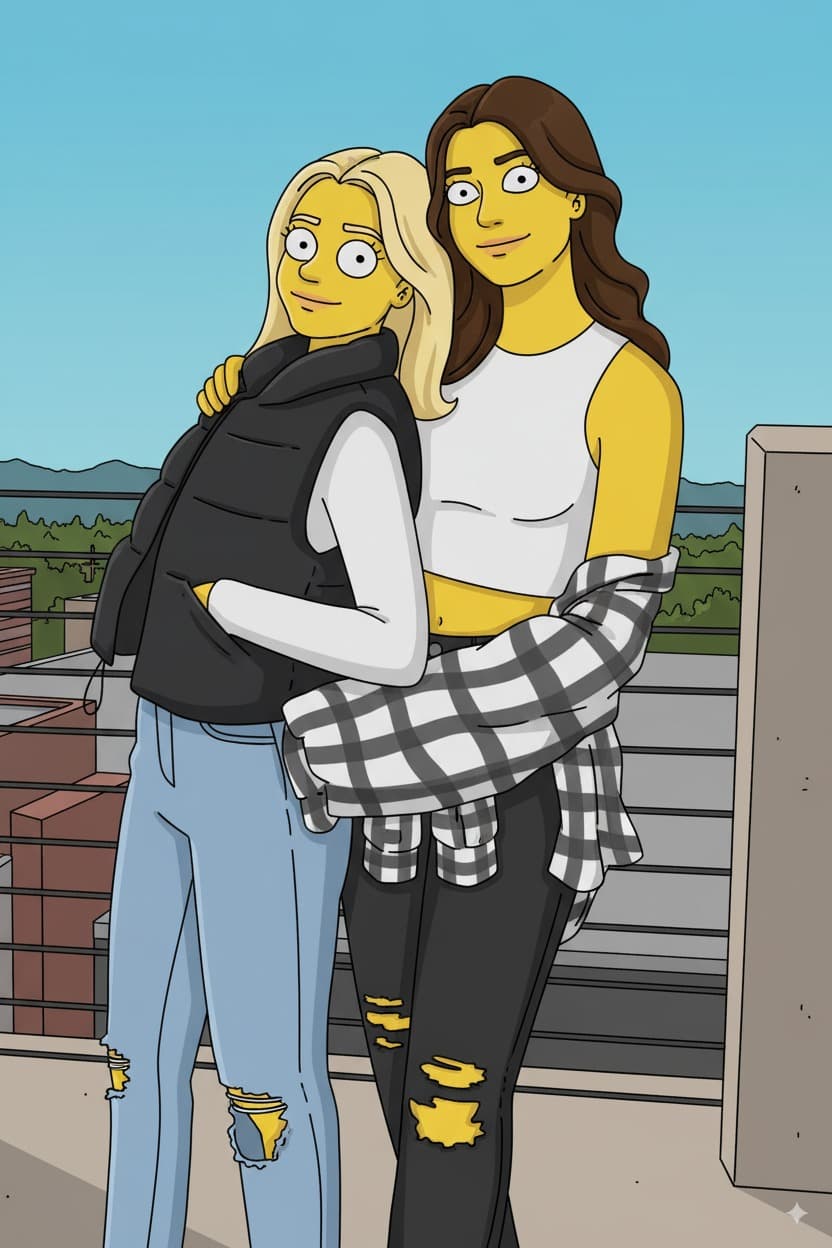
After
How to Use the Family Cartoon Filter
Upload Photo
Upload any photo from your device
Select Family Cartoon
Choose this style from the selector
Generate
Click generate and wait a few seconds
Download
Download your transformed image
About the Family Cartoon Style
The yellow-skinned family cartoon style is one of the most instantly recognizable visual aesthetics in global popular culture, originating with Matt Groening's creation that first appeared as animated shorts on "The Tracey Ullman Show" in 1987 before launching as a standalone series in 1989. The choice of yellow skin color was a deliberate creative decision, initially made because Groening wanted characters that would catch channel-surfers' attention. The show's animation style was intentionally simple and distinctive: characters have round, bulging eyes (usually with small black pupils), overbites, and four fingers on each hand. The visual approach draws from the tradition of newspaper comic strips and underground comics, with bold black outlines, flat-shaded colors, and minimal texturing. Over its three-and-a-half decades on air, the style has evolved subtly while maintaining its core characteristics, transitioning from hand-drawn cel animation to digital production in 2002 while preserving the signature look. The flat color palette, simple geometric character construction, and exaggerated features make it one of the most parodied and imitated styles in animation history. It influenced a generation of adult animated series and became a cultural shorthand for satirical cartoon aesthetics. The style's deliberate simplicity is deceptive. Character recognition depends on distinctive silhouettes, unique hairstyles, and consistent proportions, allowing viewers to instantly identify characters even in the most minimal rendering.
Tips for Best Results
- ✓Clear, front-facing photos with visible facial features produce the most recognizable cartoon characters.
- ✓Photos with distinctive hairstyles translate well since hair is a key identifying feature in the cartoon style.
- ✓Simple backgrounds work best, as the flat cartoon aesthetic uses minimal environmental detail.
- ✓Well-lit photos without harsh shadows give the AI the best foundation for the flat-color cartoon conversion.
Best Photo Types
Use Cases
- •Creating fun cartoon versions of family members as personalized gifts
- •Making cartoon-style profile pictures for a playful social media presence
- •Designing family cartoon portraits for printing and framing
- •Producing cartoon character versions of friends for birthday cards or events
Credits start at $3 for 10 images or 1 video
Frequently Asked Questions
Will my skin actually turn yellow?
Yes, the classic family cartoon style features yellow skin as one of its most iconic visual elements. All subjects are rendered with yellow skin tones, flat-shaded coloring, and bold outlines to achieve the authentic cartoon look.
Will I still be recognizable as a cartoon character?
Absolutely. The AI preserves your facial features, hairstyle, expression, and pose while adapting them into the cartoon style. Distinctive features like hair color, glasses, facial hair, and other identifying characteristics are maintained.
Does this work for group or family photos?
Yes, group and family photos work great with this style. Each person is individually converted into a cartoon character while maintaining their relative positions and unique features, making for fun family cartoon portraits.
Why do the cartoon characters have four fingers?
Four fingers is a long-standing tradition in animation dating back to the 1920s. It simplifies the hand, making it easier to animate and read visually. The AI may render hands with either four or five fingers depending on the conversion.
Can I use the cartoon result for custom merchandise?
The generated images are yours to use as you wish. Many people create custom t-shirts, mugs, phone cases, and framed prints with their family cartoon portraits.
Related Styles
Ready to transform your photos?
Credits start at $3 for 10 images or 1 video