
Turn Your Photo into Vector Art with AI
Transform any photo into bold, flat vector art with vibrant colors and clean outlines. Upload your image and get a professional vector-style illustration in seconds.
Upload your image
Customise (optional)
Sign in to generate images
Credits start at $3 for 10 images
Before & After
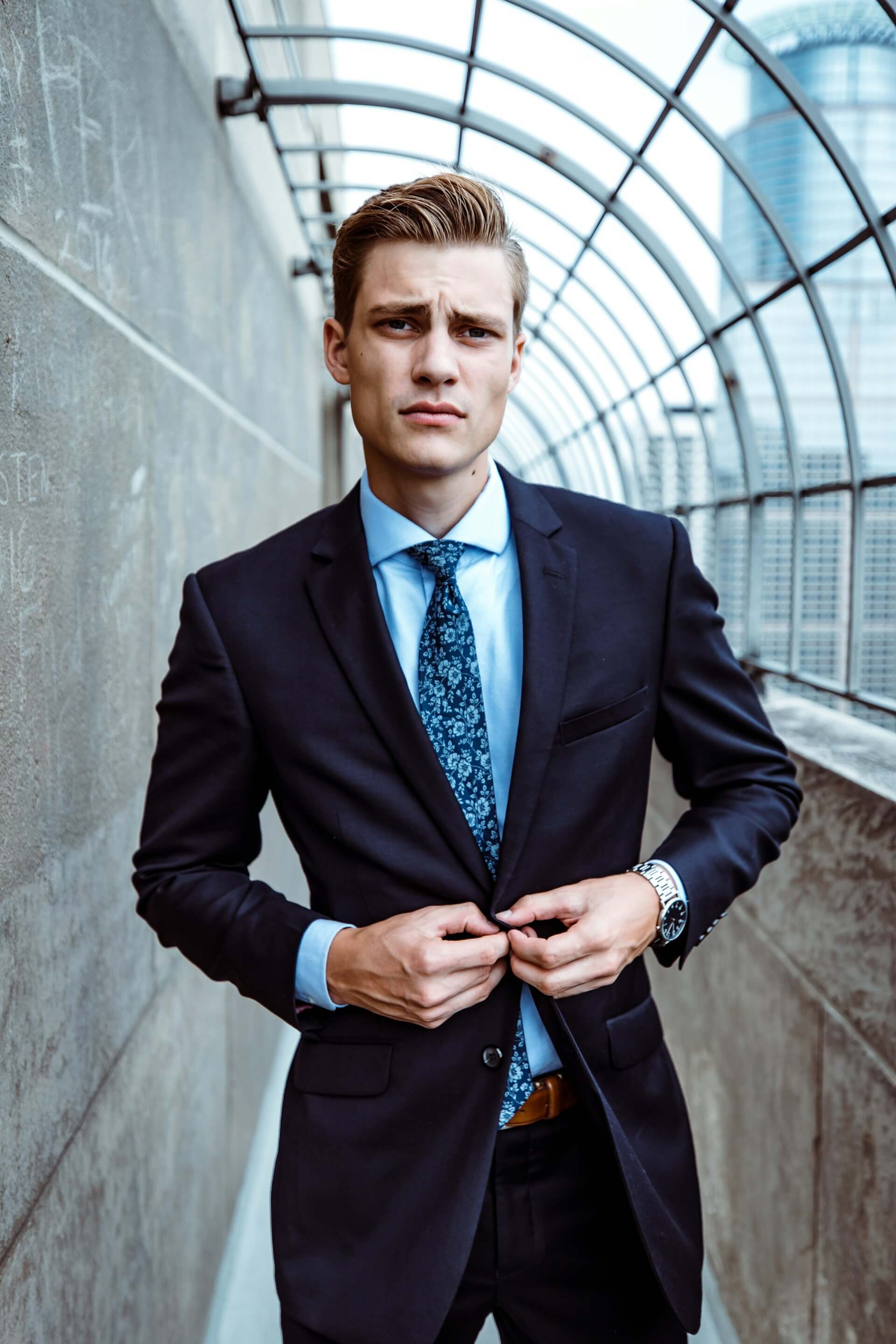
Before
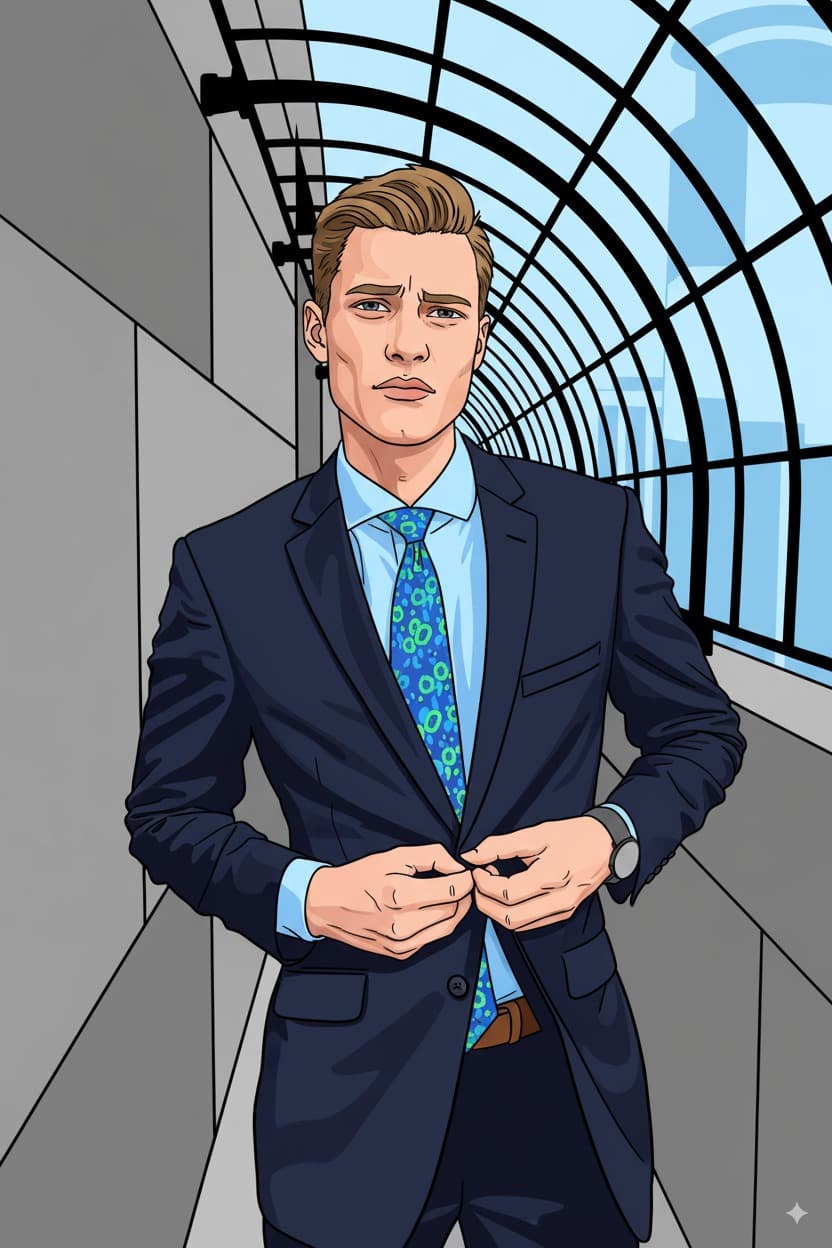
After
How to Use the Vector Art Filter
Upload Photo
Upload any photo from your device
Select Vector Art
Choose this style from the selector
Generate
Click generate and wait a few seconds
Download
Download your transformed image
About the Vector Art Style
Vector art traces its origins to the earliest days of computer graphics in the 1960s, when mathematicians and engineers at institutions like MIT began using mathematical equations to define images through points, lines, and curves rather than individual pixels. Unlike raster graphics, vector images can be scaled infinitely without losing quality, a property that made them indispensable in graphic design and print media. The aesthetic matured through the work of designers like Saul Bass, whose bold, geometric poster art for Hollywood films in the 1950s and 60s prefigured much of what we now consider the vector art look. The rise of Adobe Illustrator in 1987 democratized vector creation, and by the 2000s a distinct flat vector illustration style had emerged in web design, app interfaces, and editorial illustration. Characterized by clean geometric shapes, thick uniform outlines, limited but deliberately chosen color palettes, and smooth gradients, vector art strips away photorealistic detail to emphasize form, composition, and color harmony. The style has strong ties to pop art, with its bold simplicity and graphic punch. Today, vector art is ubiquitous in branding, infographics, social media graphics, and digital illustration, prized for its versatility and crisp, modern aesthetic.
Tips for Best Results
- ✓Use photos with clear, well-lit subjects against simple backgrounds for the cleanest vector conversion.
- ✓Portraits with strong facial features translate especially well into the simplified vector style.
- ✓Bright, colorful clothing in the original photo will produce more vibrant vector results.
- ✓Avoid overly busy backgrounds, as vector art works best with simplified compositions.
Best Photo Types
Use Cases
- •Creating custom avatars for social media profiles
- •Designing personalized stickers or merchandise
- •Making unique digital art prints from family photos
- •Building consistent brand illustrations from team headshots
Credits start at $3 for 10 images or 1 video
Frequently Asked Questions
What makes vector art different from other cartoon styles?
Vector art uses clean geometric shapes, flat colors, and uniform outlines to create a graphic, design-forward look. Unlike hand-drawn cartoon styles, vector art emphasizes precision and simplicity, making it ideal for logos, icons, and modern digital illustrations.
Will the AI preserve my facial features in the vector art style?
Yes. The AI retains your core facial features, hairstyle, expression, and pose while simplifying them into the clean, geometric shapes characteristic of vector illustration. You will still be recognizable in the result.
Can I use the vector art result for commercial purposes?
The images you generate are yours to use. Many people use vector art conversions for social media avatars, business branding, merchandise designs, and promotional materials.
What photo resolution works best for vector art conversion?
Photos of at least 512x512 pixels work well. Higher resolution originals give the AI more detail to work with, but since vector art simplifies features, even moderate quality photos can produce excellent results.
Why does vector art use a limited color palette?
Limited palettes are a defining feature of vector art. Fewer colors create stronger visual impact, improve readability at any size, and give the illustration a polished, professional graphic design quality.
Related Styles
Ready to transform your photos?
Credits start at $3 for 10 images or 1 video